Comtech Systems

 Home
Home  About Comtech Systems
  service
  Make An Enquiry





How Can We Secure the Remote Workforce?
Posted On Nov 6, 2024Because of the heightened risk of cyberattacks, protecting sensitive data is crucial in today's remote work environment. Organizations must develop explicit security policies that specify how staff members handle data and gain access to company systems in order to provide a secure remote work environment. By demanding various forms of verification, Multi-Factor Authentication (MFA) is essential in preventing illegal access. To prevent sensitive information from being intercepted during transmission via untrusted networks, a Virtual Private Network (VPN) is essential. Employees who receive regular cybersecurity awareness training are better able to recognize and handle risks like phishing attempts. To promote secure behaviors, this training should incorporate simulated phishing exercises. Furthermore, protecting distant devices is essential; businesses should use encryption, Mobile Device Management (MDM), and endpoint security solutions to safeguard data on laptops, tablets, and smartphones.
Why its essential to secure your remote workplace?
How Can You Define Clear Security Policies for Remote Work?
Why Is Multi-Factor Authentication (MFA) Important for Remote Access?
Answer: MFA provides extra security for remote access, reducing the risk of unauthorized access even if passwords are compromised.
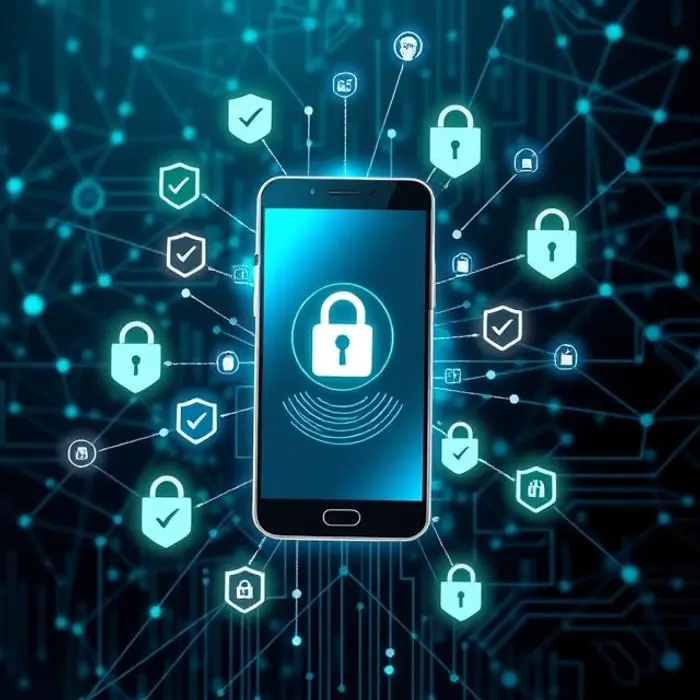
Full explanation: Multi-Factor Authentication (MFA) is one of the simplest yet most effective ways to secure remote access. By requiring multiple forms of verification such as a password and a unique code sent to a smartphone MFA adds an extra layer of security that goes beyond just passwords. This approach is crucial for remote work, where employees may log in from various networks and devices, increasing the risk of unauthorized access. Passwords alone are vulnerable to phishing, brute-force attacks, and credential theft. MFA mitigates these risks by adding additional verification steps that significantly reduce the likelihood of unauthorized access. Even if a cybercriminal manages to obtain a user’s password, they would still need access to the second form of authentication, which is often a time-sensitive code or a biometric scan. This added barrier makes it much harder for unauthorized individuals to access company resources. To implement MFA effectively, ensure that it’s used across all critical applications, especially those housing sensitive information. Educate employees on the importance of MFA and provide guidance on enabling it for both work and personal accounts to further bolster security.
What Role Does a Virtual Private Network (VPN) Play in Remote Security?
Answer: VPNs protect data by encrypting connections, particularly when employees use public or unsecured networks, safeguarding sensitive information.
Full explanation: Securing remote connections requires a Virtual Private Network (VPN), particularly when staff members use untrusted networks, such as public Wi-Fi. VPNs provide a secure "tunnel" that protects data from prying eyes by encrypting it as it moves from the employee's device to the company's network. Even on unprotected networks, private information like passwords, emails, and private files is safeguarded with VPNs. Data sent over public networks is vulnerable to interception without a VPN, which makes it simple for hackers to insert malicious content or steal information. By hiding employees' IP addresses, VPNs stop these attempts and make it more difficult for hackers to identify or follow specific users. Businesses should mandate the usage of a VPN in order to access company resources, and they should think about restricting access to just whitelisted IP addresses when possible. The secret is to pick a trustworthy VPN service with robust encryption methods. Many VPNs have split-tunneling, which lowers latency and increases productivity for non-sensitive activities by allowing certain traffic to bypass the VPN. Nevertheless, it is still crucial to make sure that all sensitive activity passes through the VPN.
Why Should You Regularly Train Employees on Cybersecurity Awareness?
Answer: Regular training equips employees with the skills to recognize and respond to threats, reducing human error in security incidents.
Full explanation: Frequent cybersecurity awareness training is essential for giving staff members the knowledge and abilities to identify and stop online threats. Employees are frequently the first line of defense against attacks that take use of human error, such as social engineering and phishing. Employees may unintentionally divulge sensitive data or become victims of phishing scams if they are not properly trained. Understanding the significance of using secure connections, protecting personal devices, and identifying typical phishing techniques should be the main topics of training. Simulated phishing exercises can also be quite successful since they teach staff members to spot shady emails and to be wary of clicking on strange attachments or links. Even in a hectic remote work setting, security remains a top priority when safe habits are reinforced with frequent updates and reminders. Use interactive workshops that let staff members practice their skills and real-world examples to make training more interesting. Because cyber risks are always changing, it is also crucial to update the training materials on a regular basis. Giving staff members this information encourages a proactive security culture in which everyone understands their part in keeping things safe.
How Does Device Security Contribute to a Safe Remote Work Environment?
Answer: Securing devices used by remote workers helps protect against malware and unauthorized access, reducing the risk of data breaches.
;)